

Menu Screen & Action Introduction
Explanation of Action and Menu Screens
Action Explanation
Attack
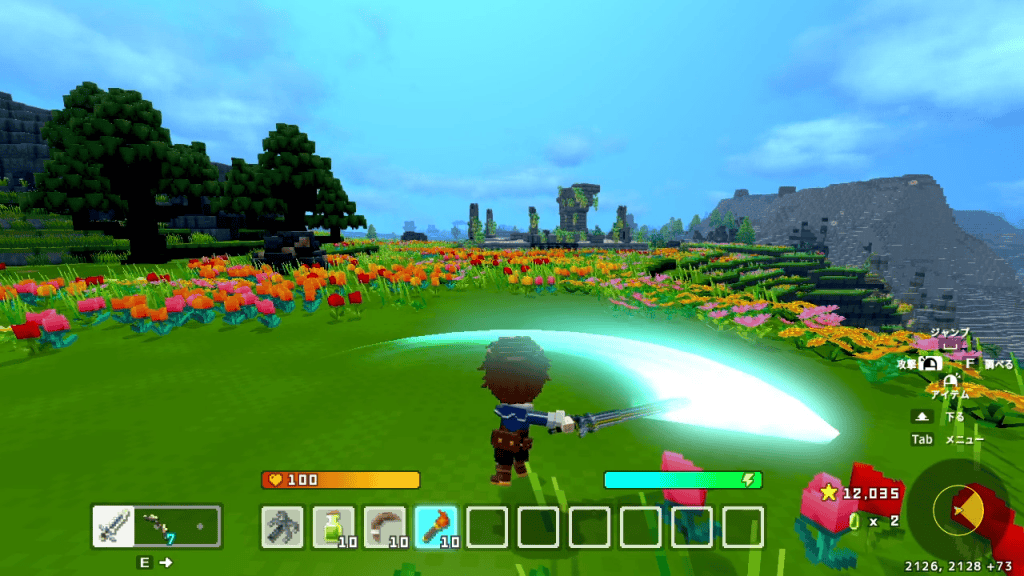
You can attack with various weapons by pressing Left Click .
Press and hold to perform consecutive attacks.
After an arrow has been shot, you can reload arrows by pressing Left Click
Paraglider
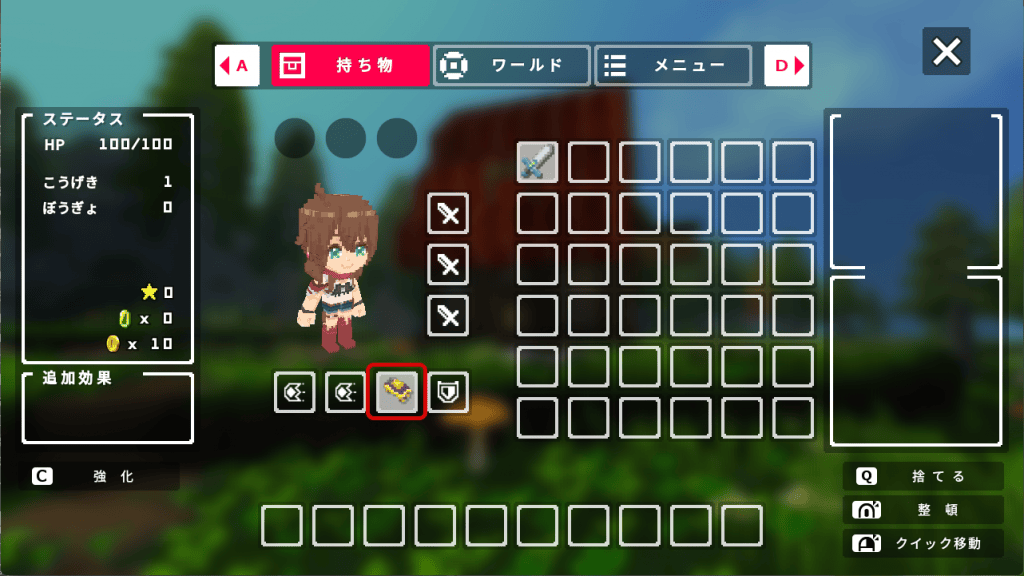
You can equip the paraglider in the menu screen from the ”Accessories” column. Press Space key twice to deploy.
Grappling Hook
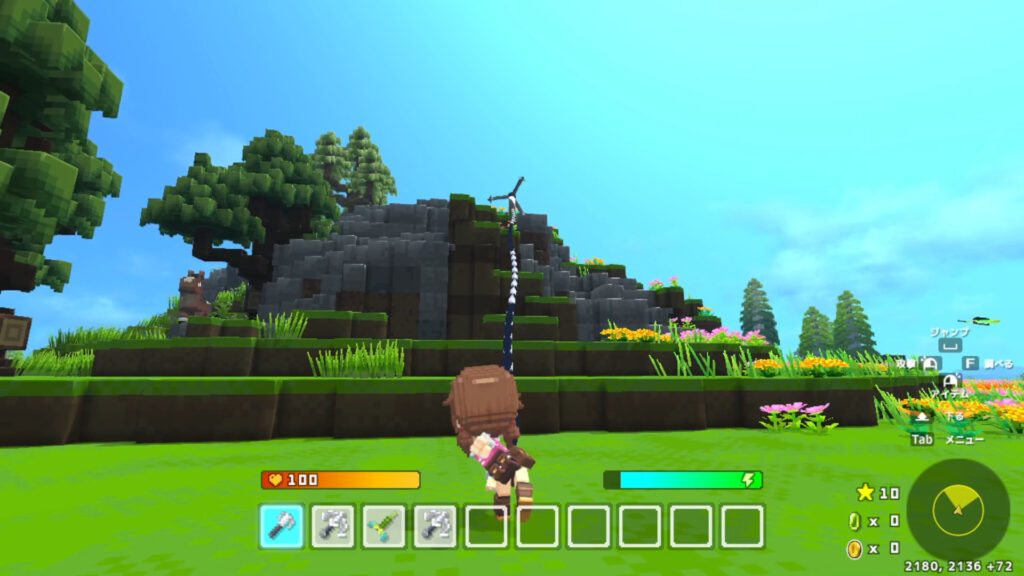
Place the Grappling Hook in the toolbar and press Right click to fire.
Grappling Hooks can only be fired in an upwards direction.
Test Mode/World Play Time
Inventory Tab
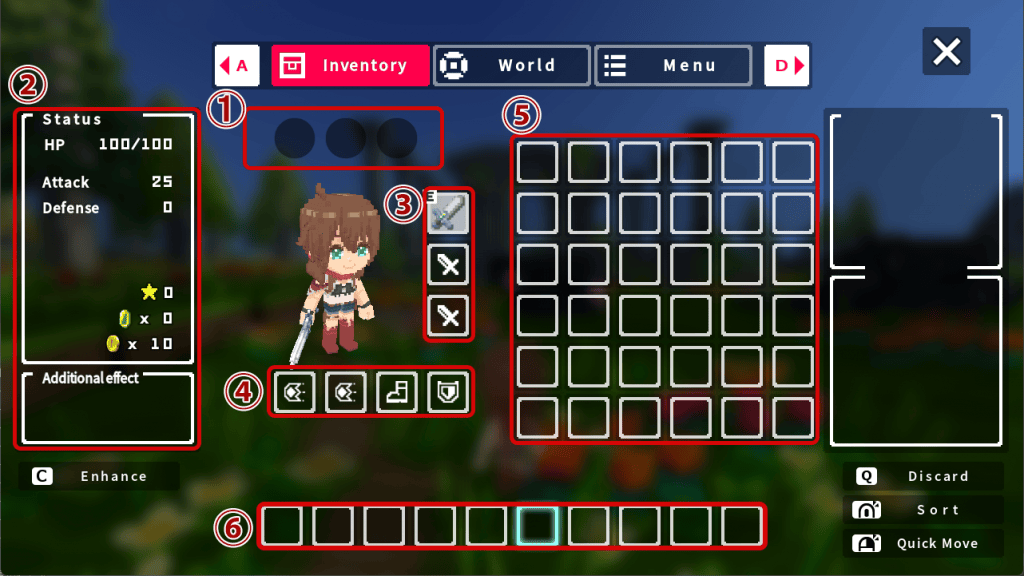
①:Your Team Display
②:Status
③:Equipped Weapons List
④:Equipped Accessories List
⑤:Inventory
⑥:Item Slot
■About Items
Moving items: Press to move items.
Discard item: Press Q key to discard items.
Pick up items: Press Left Click to pick up dropped items.
How to Equip Weapons
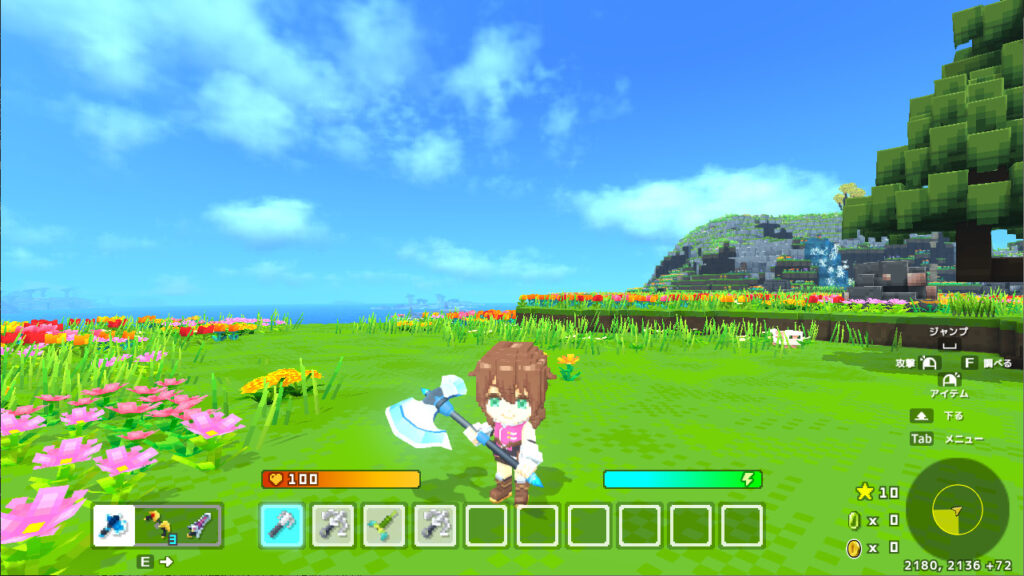
Weapons can be set in the equipment slots by Right click on them. A max of three weapons can be equipped at a time.
Upgrading Equipment
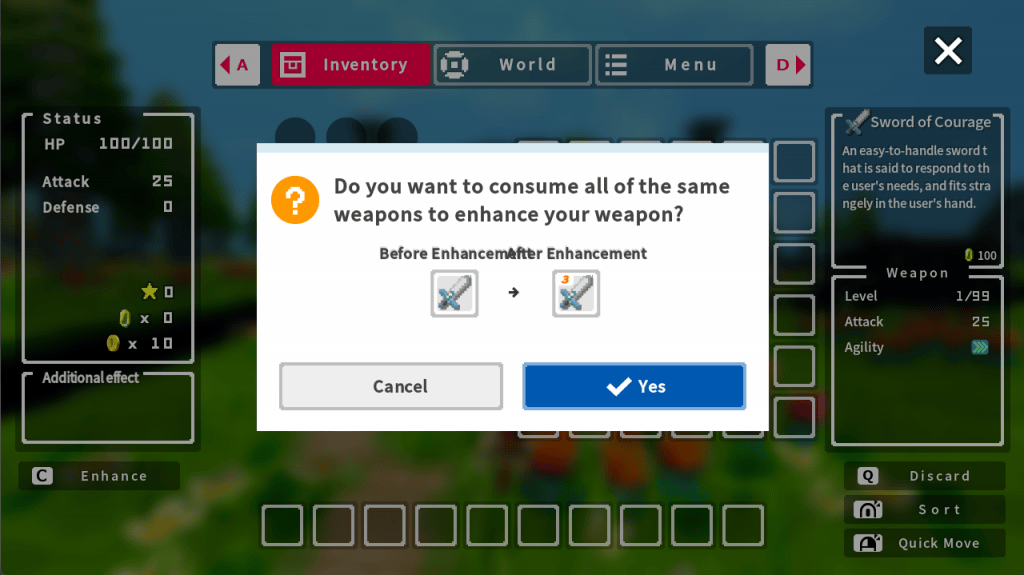
While the menu is open, press on the same equipment to upgrade it.
World
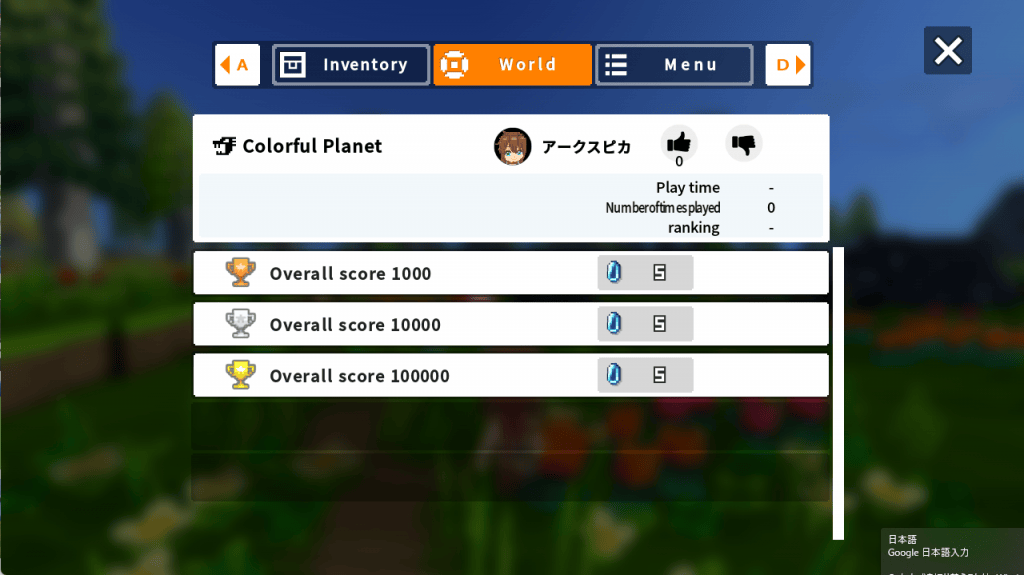
In the menu, open the World tab to see the game rules and subquests of the World you are currently in.
Rewards can be obtained by selecting each respective clearing requirement.
Menu
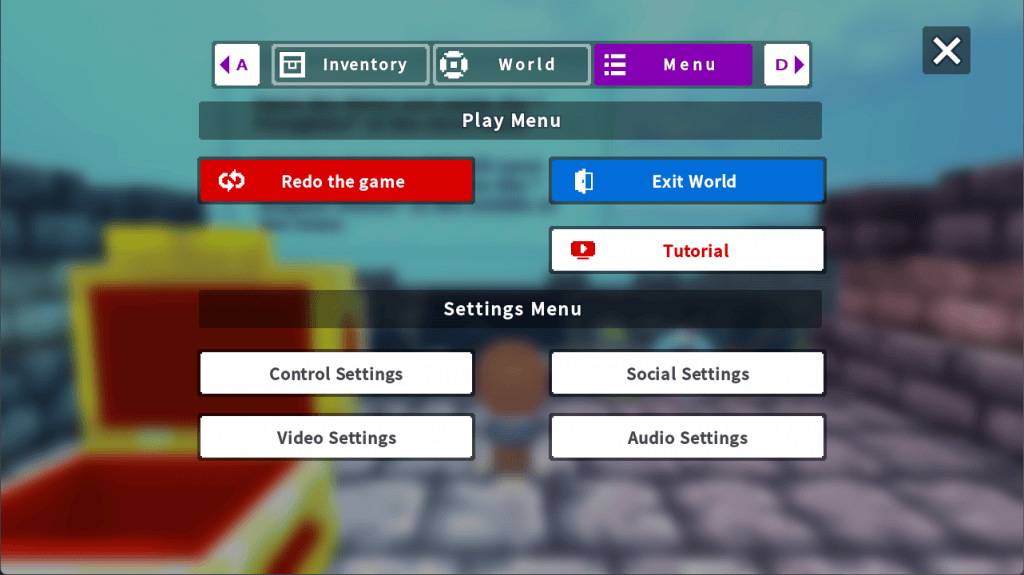
Open the menu and select the “Menu” tab to display the “Play Menu” and “Settings Menu”.
Play Menu
Restart Game: Restart the game from a resurrection point or the starting point.
Exit World: Return to the Home Screen.
Tutorial: Display the Teravit Tutorial.
Settings Menu
Control Settings: Set key bindings, camera rotation speed, etc.
Social Settings: Display chat templates and friend lists.
Video Settings: Change the resolution, player’s viewpoint, etc.
Sound Settings: Set the ingame volume.
Explanation of Action and Menu Screens
Action Explanation
Attack
You can attack with various weapons by pressing X Button .
Press and hold to perform consecutive attacks.
After an arrow has been shot, you can reload arrows by pressing X Button
Paraglider
You can equip the paraglider in the menu screen from the ”Accessories” column. Press A Button twice to deploy.
Grappling Hook
Place the Grappling Hook in the toolbar and press A Button to fire.
Grappling Hooks can only be fired in an upwards direction.
Test Mode/World Play Time
Inventory Tab
①:Your Team Display
②:Status
③:Equipped Weapons List
④:Equipped Accessories List
⑤:Inventory
⑥:Item Slot
About Items
Moving items: Press B Button/ X Button to move items.
Discard item: Press Down Button to discard items.
Pick up items: Press X Button to pick up dropped items.
How to Equip Weapons
Weapons can be set in the equipment slots by A Button on them. A max of three weapons can be equipped at a time.
Upgrading Equipment
While the menu is open, press B Button/ RT Button on the same equipment to upgrade it.
World
In the menu, open the World tab to see the game rules and subquests of the World you are currently in.
Rewards can be obtained by selecting each respective clearing requirement.
Menu
Open the menu and select the “Menu” tab to display the “Play Menu” and “Settings Menu”.
Play Menu
Restart Game: Restart the game from a resurrection point or the starting point.
Exit World: Return to the Home Screen.
Tutorial: Display the Teravit Tutorial.
Settings Menu
Control Settings: Set key bindings, camera rotation speed, etc.
Social Settings: Display chat templates and friend lists.
Video Settings: Change the resolution, player’s viewpoint, etc.
Sound Settings: Set the in-game volume.
Explanation of Action and Menu Screens
Action Explanation
Attack
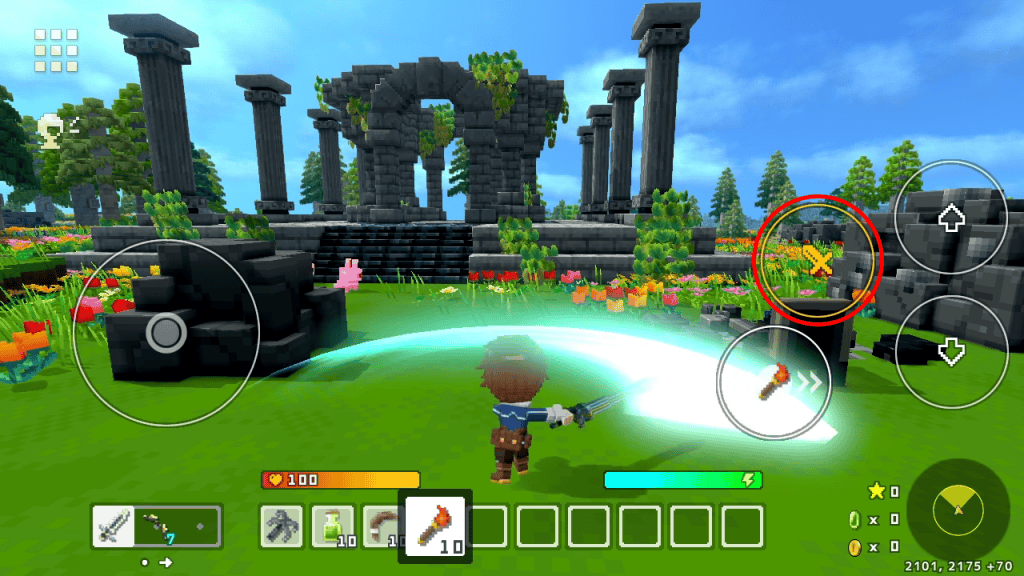
You can attack with various weapons by pressing Attack Button .
Press and hold to perform consecutive attacks.
After an arrow has been shot, you can reload arrows by pressing Attack Button
Paraglider
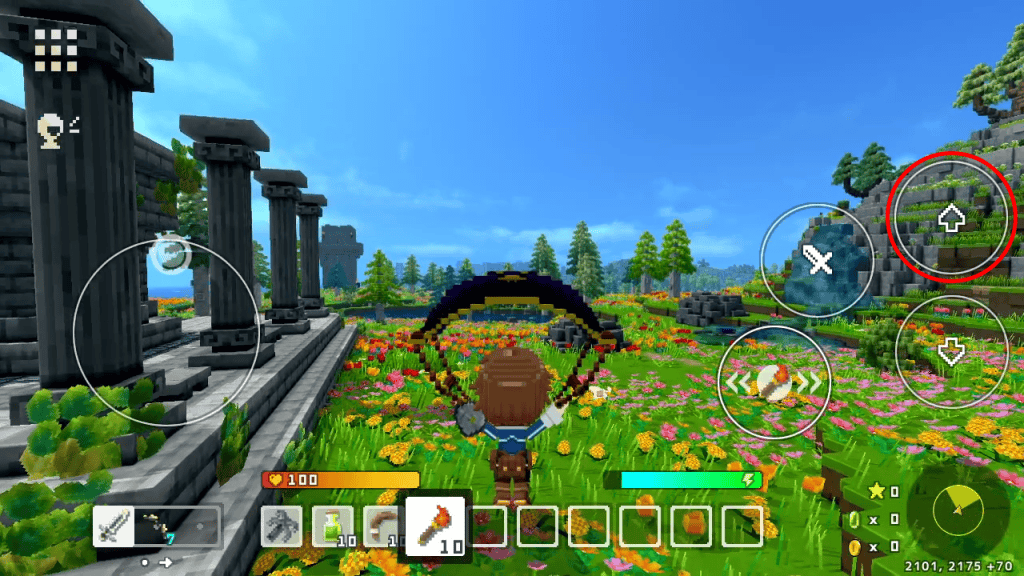
You can equip the paraglider in the menu screen from the ”Accessories” column. Press ↑ twice to deploy.
Grappling Hook
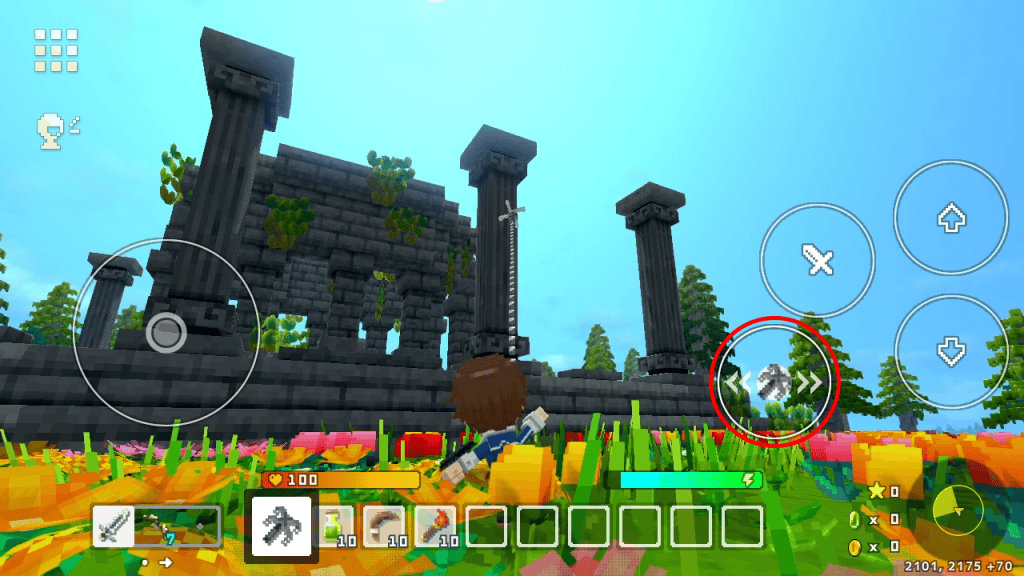
Place the Grappling Hook in the toolbar and press Tap to fire.
Grappling Hooks can only be fired in an upwards direction.
Test Mode/World Play Time
Inventory Tab
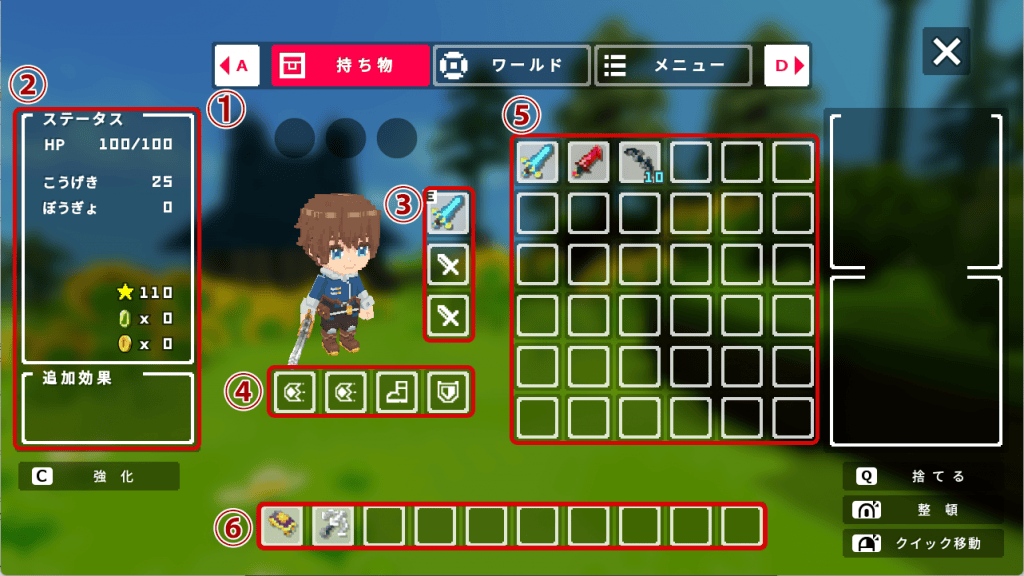
①:Your Team Display
②:Status
③:Equipped Weapons List
④:Equipped Accessories List
⑤:Inventory
⑥:Item Slot
About Items
Moving items: Press Drag & Drop/Tap the Specified Area to move items.
Discard item: Press Tap the Specified Area to discard items.
Pick up items: Press Tap to pick up dropped items.
How to Equip Weapons
Weapons can be set in the equipment slots by Tap on them. A max of three weapons can be equipped at a time.
Upgrading Equipment
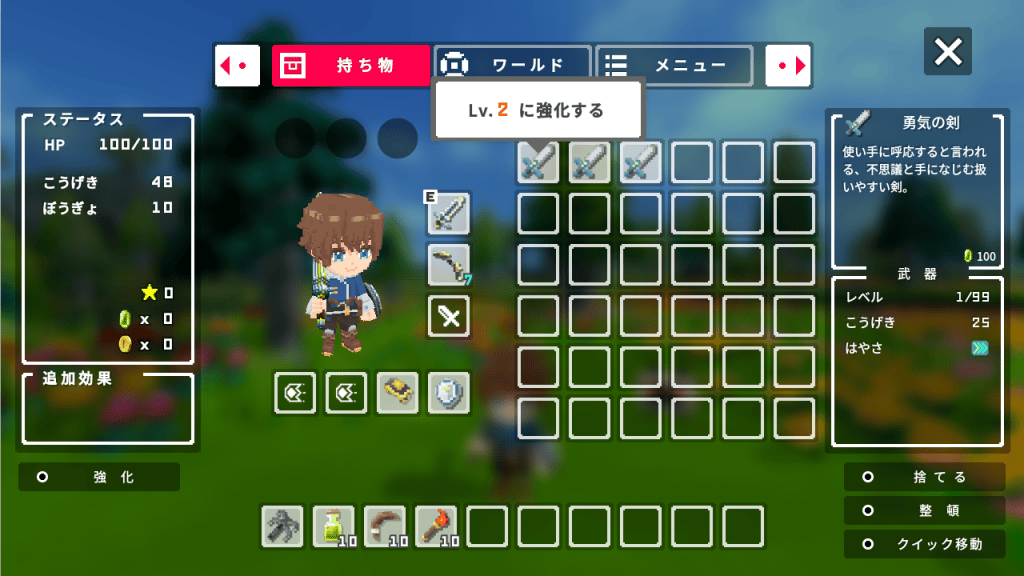
While the menu is open, press Drag & Drop/Tap the Specified Area on the same equipment to upgrade it.
World
In the menu, open the World tab to see the game rules and subquests of the World you are currently in.
Rewards can be obtained by selecting each respective clearing requirement.
Menu
Open the menu and select the “Menu” tab to display the “Play Menu” and “Settings Menu”.
Play Menu
Restart Game: Restart the game from a resurrection point or the starting point.
Exit World: Return to the Home Screen.
Tutorial: Display the Teravit Tutorial.
Settings Menu
Control Settings: Set key bindings, camera rotation speed, etc.
Social Settings: Display chat templates and friend lists.
Video Settings: Change the resolution, player’s viewpoint, etc.
Sound Settings: Set the in-game volume.
Explanation of Action and Menu Screens
Action Explanation
Attack
You can attack with various weapons by pressing Y Button .
Press and hold to perform consecutive attacks.
After an arrow has been shot, you can reload arrows by pressing Y Button
Paraglider
You can equip the paraglider in the menu screen from the ”Accessories” column. Press X Button twice to deploy.
Grappling Hook
Place the Grappling Hook in the toolbar and press B Button to fire.
Grappling Hooks can only be fired in an upwards direction.
Test Mode/World Play Time
Inventory Tab
①:Your Team Display
②:Status
③:Equipped Weapons List
④:Equipped Accessories List
⑤:Inventory
⑥:Item Slot
About Items
Moving items: Press A Button/ X Button to move items.
Discard item: Press ↓ Button to discard items.
Pick up items: Press Y Button to pick up dropped items.
How to Equip Weapons
Weapons can be set in the equipment slots by B Button on them. A max of three weapons can be equipped at a time.
Upgrading Equipment
While the menu is open, press A Button/ ZR Button on the same equipment to upgrade it.
World
In the menu, open the World tab to see the game rules and subquests of the World you are currently in.
Rewards can be obtained by selecting each respective clearing requirement.
Menu
Open the menu and select the “Menu” tab to display the “Play Menu” and “Settings Menu”.
Play Menu
Restart Game: Restart the game from a resurrection point or the starting point.
Exit World: Return to the Home Screen.
Tutorial: Display the Teravit Tutorial.
Settings Menu
Control Settings: Set key bindings, camera rotation speed, etc.
Social Settings: Display chat templates and friend lists.
Video Settings: Change the resolution, player’s viewpoint, etc.
Sound Settings: Set the in-game volume.
Explanation of Action and Menu Screens
Action Explanation
Attack
You can attack with various weapons by pressing □ Button .
Press and hold to perform consecutive attacks.
After an arrow has been shot, you can reload arrows by pressing □ Button
Paraglider
You can equip the paraglider in the menu screen from the ”Accessories” column. Press △ Button twice to deploy.
Grappling Hook
Place the Grappling Hook in the toolbar and press ◯ Button to fire.
Grappling Hooks can only be fired in an upwards direction.
Test Mode/World Play Time
Inventory Tab
①:Your Team Display
②:Status
③:Equipped Weapons List
④:Equipped Accessories List
⑤:Inventory
⑥:Item Slot
About Items
Moving items: Press X Button /□ Button to move items.
Discard item: Press Down Button to discard items.
Pick up items: Press □ Button to pick up dropped items.
How to Equip Weapons
Weapons can be set in the equipment slots by ◯ Button on them. A max of three weapons can be equipped at a time.
Upgrading Equipment
While the menu is open, press B Button /RT Button on the same equipment to upgrade it.
World
In the menu, open the World tab to see the game rules and subquests of the World you are currently in.
Rewards can be obtained by selecting each respective clearing requirement.
Menu
Open the menu and select the “Menu” tab to display the “Play Menu” and “Settings Menu”.
Play Menu
Restart Game: Restart the game from a resurrection point or the starting point.
Exit World: Return to the Home Screen.
Tutorial: Display the Teravit Tutorial.
Settings Menu
Control Settings: Set key bindings, camera rotation speed, etc.
Social Settings: Display chat templates and friend lists.
Video Settings: Change the resolution, player’s viewpoint, etc.
Sound Settings: Set the in-game volume.