

Let’s try using Presets.
Let’s create an event using the Event Editor preset “Battle Event (Total Annihilation).
This event begins when the player enters a specific area; it is cleared once all monsters are defeated.
Make an Event Page
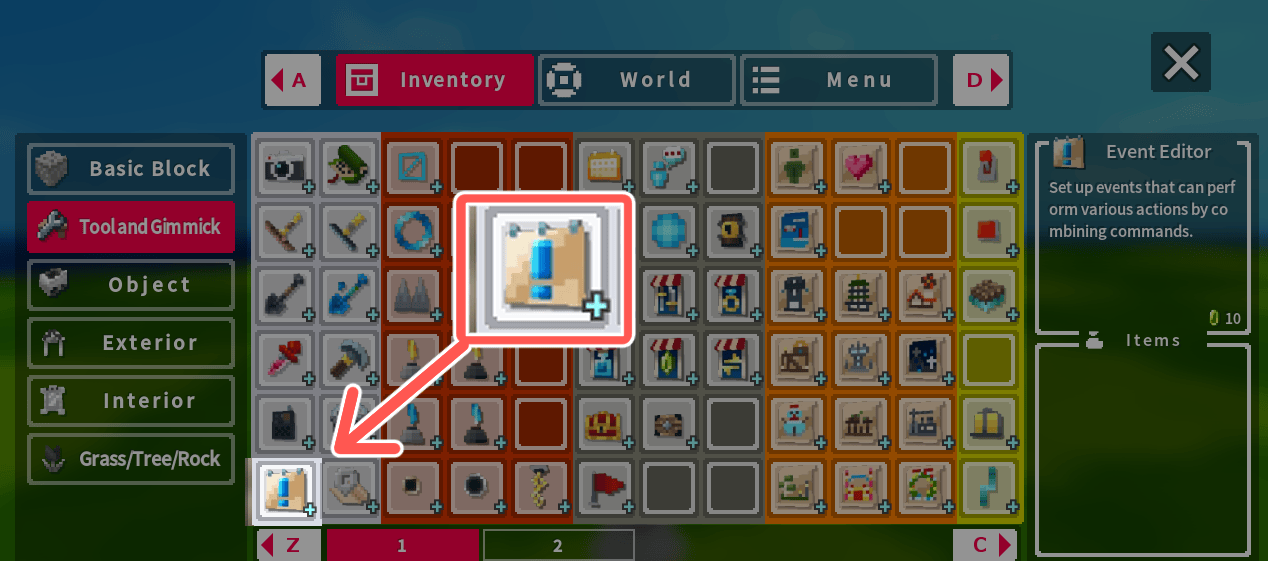
A new Event Editor can be set up using the “Event Editor” in the Tools & Gimmicks tab.
From “Preset Expansion” on the list icon of the Event Editor:
Preset is “Battle Event”
Defeat Count is “Total Annihilation”
Specified Mode is “Loop”
Set the reward item to be anything of your choice.
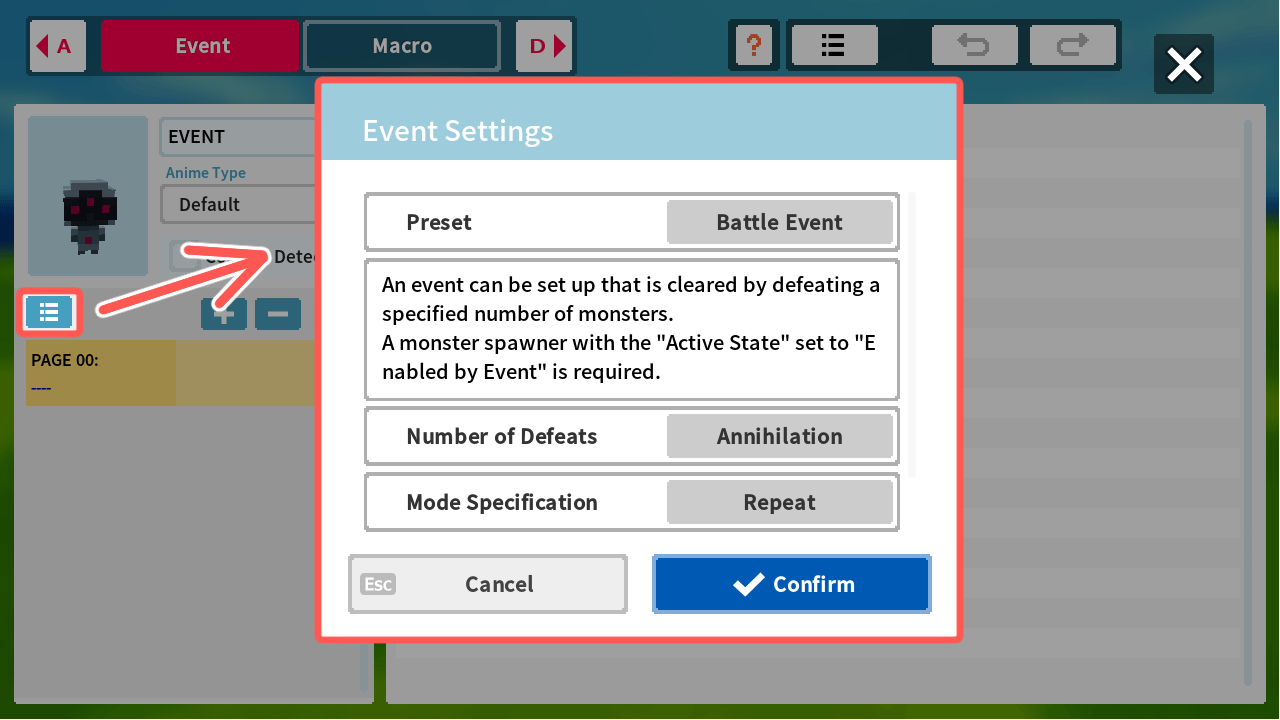
Upon confirmation, a Battle Event (Total Annihilation) page will be created.
Event creation is now complete
Place a Monster Spawner in the Event
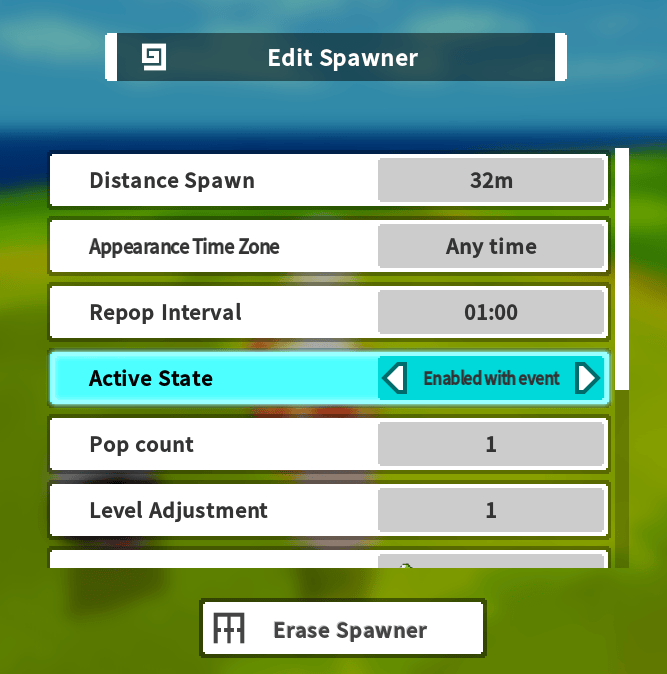
Next, place a monster spawner near the event in which monsters will appear.
Make sure to set the active state to “Activate in Events”.
Try a Test Playthrough
Players can test their Battle Event if everything has been set up to this point.
Switch to “Test” mode and try playing.
Instructions on Test Plays Here
Preset Adjustments
・Do not want the event to reoccur once cleared
By setting the mode to “Only Once” when expanding the preset, the event will become non-recurring after it has been cleared once.
・Want the event to start when a specific object is examined
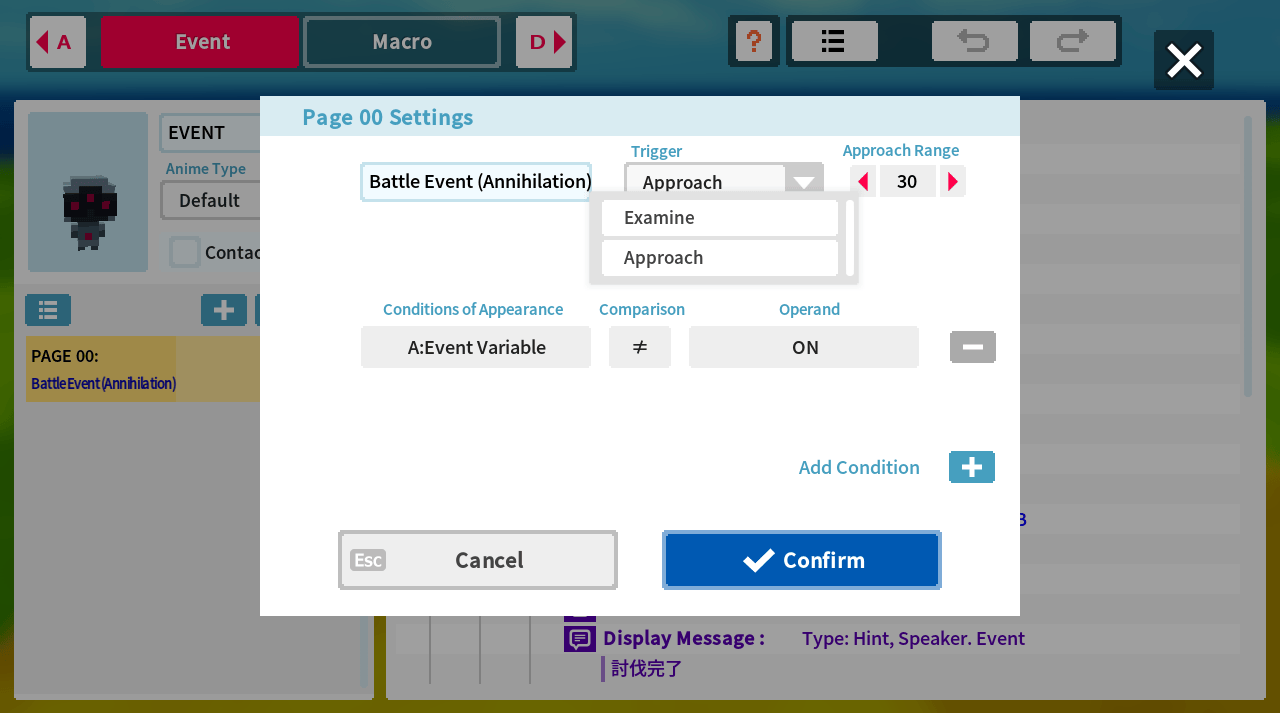
Right-click on the event page to edit the trigger that starts the event.
Setting the trigger to “Examine” will initiate the event when the designated location is examined.
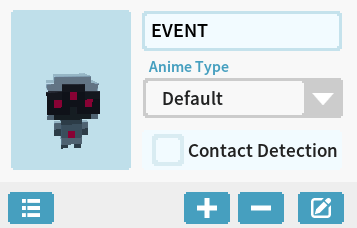
・Hide NPCs/Change NPCs Appearance
Select a skin from the NPC icon in the top left corner.
・Adjusting the Placement of Set Events
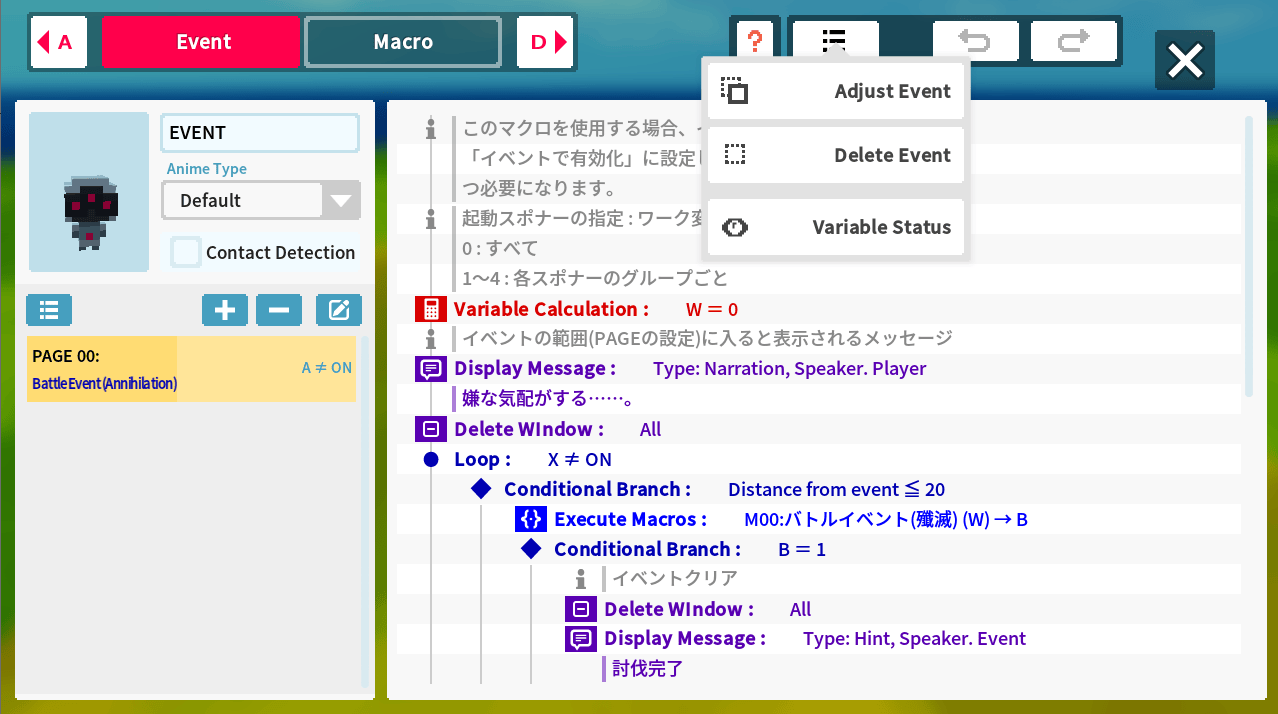
Adjust the position or delete events from the list icon in the top right corner of the screen.
Event Editor Beta Version Manual
Refer to the following manual for explanations of each item.
https://teravit.app/contents/index.html?category=teravit-en-content&id=48392