

Installing the Game
Download the installer from https://tera-1855e.web.app/download_installer_g.html
Double-click the downloaded installer to launch.
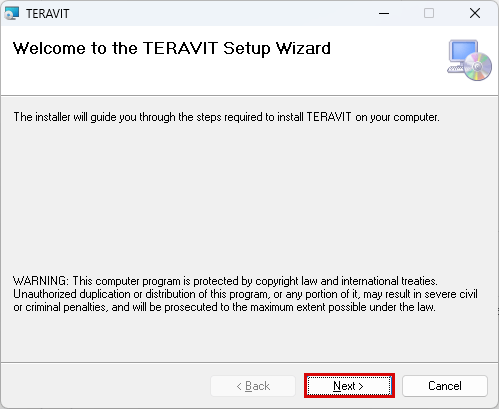
①Click on the area circled in red.
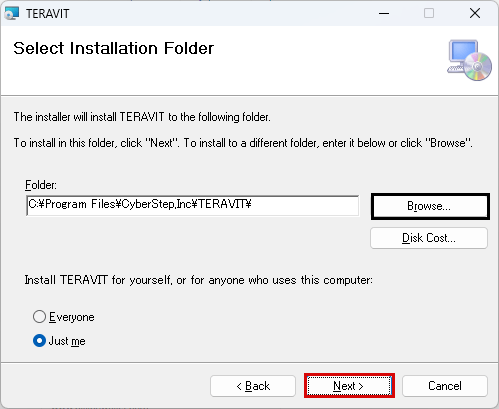
②Click the area circled in black to choose the location for installation. Click the area circled in red to proceed.
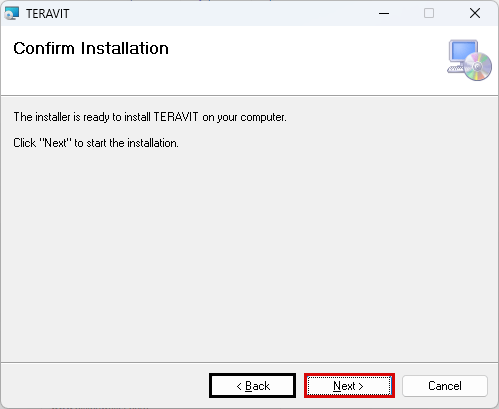
③A confirmation screen will appear. If there is no change needed, click the area circled in red to start installation. To go back to the page before, click the area circled in black.
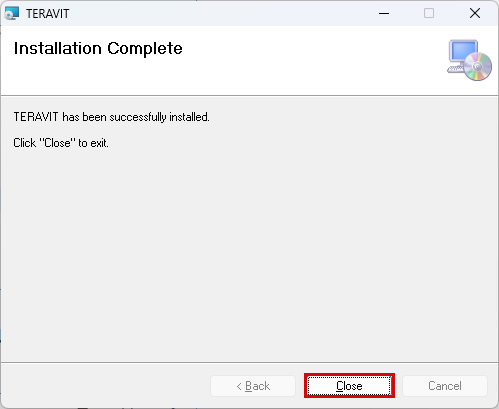
④Close the installer by clicking the area circled in red. The installation is now complete.
Double click the newly installed Teravit icon to start the game.