

How to use the new feature: Spawner Dispersion Tool
What is the Spawner Dispersion Tool?
This tool allows players to easily place monster spawners over a wide area.
You can disperse copies of any monster spawner to various locations by setting them on a dedicated map,
Spawner Dispersion Tool Guide
1. Place monster spawners in the preferred location the same way as before.
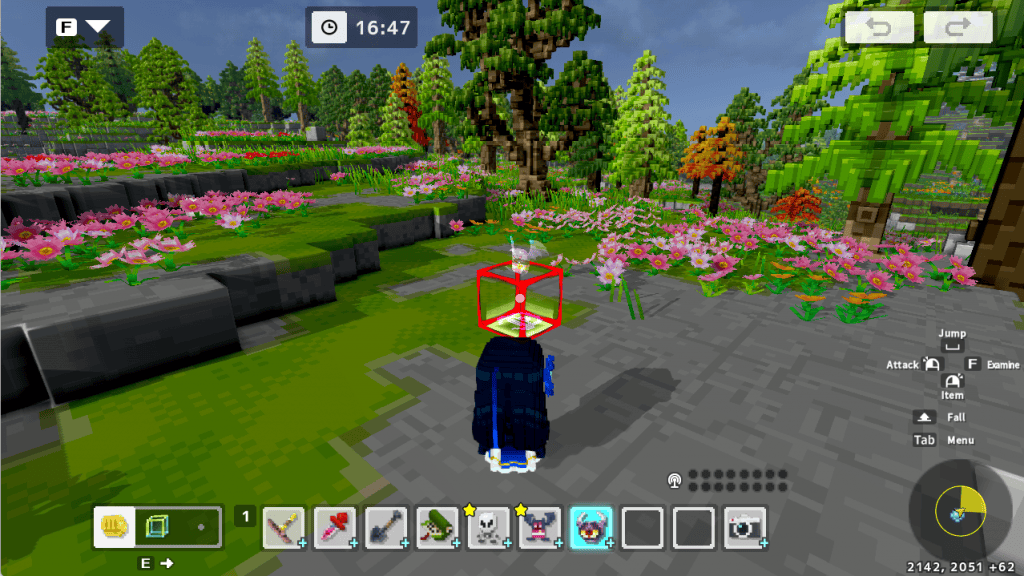
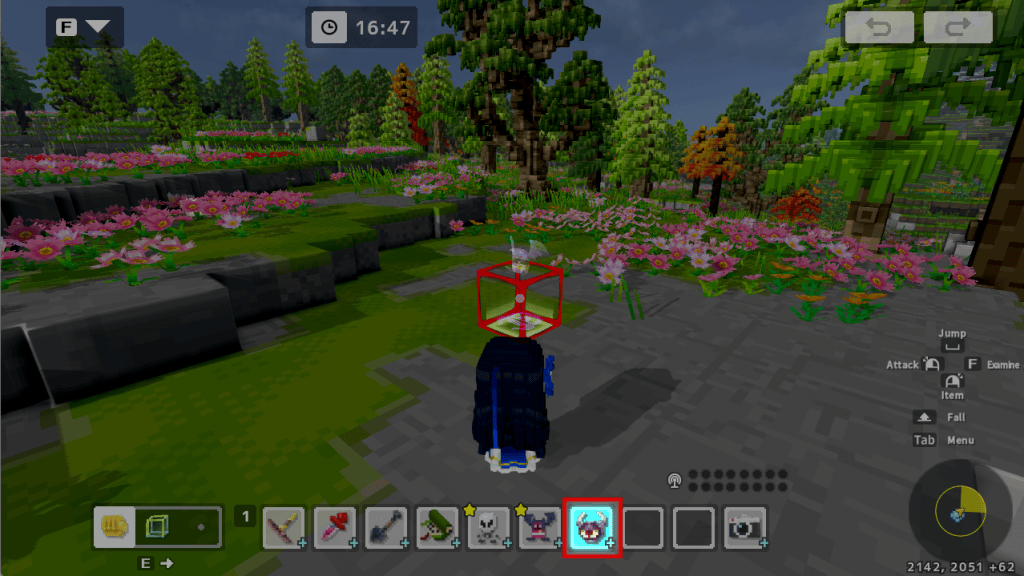
2. Select the “Spawner Dispersion Tool” and display the dedicated map for the tool.
*Note: You cannot configure the spawner dispersion tool settings on a regular map.
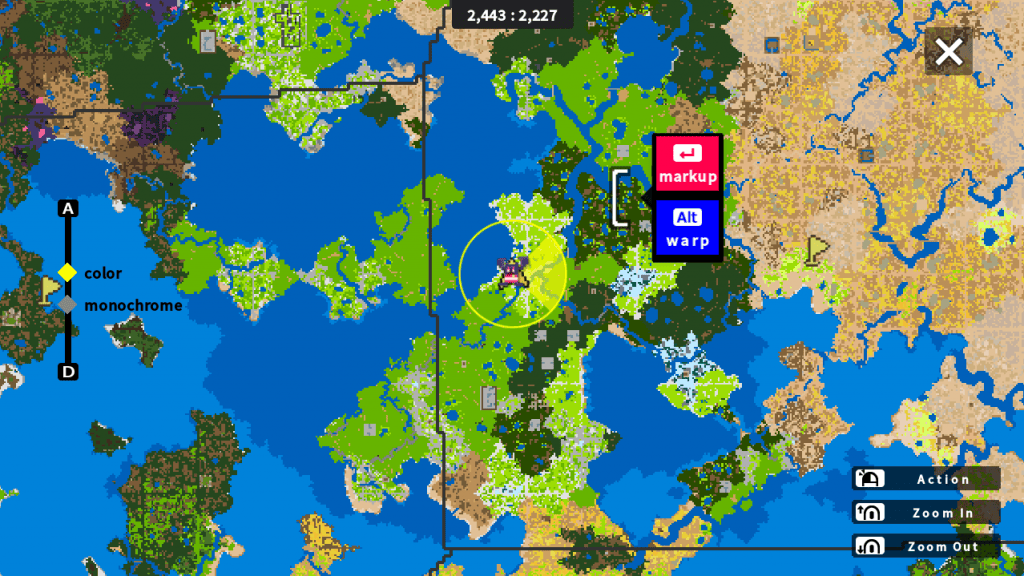
3. Specify the area where you want to disperse monster spawners with a “Mark.”
Every time you place a “Mark,” the area is automatically divided based on the “Mark.”
4. Select “Mark”; when you choose “Settings”, the monster spawner list will open.
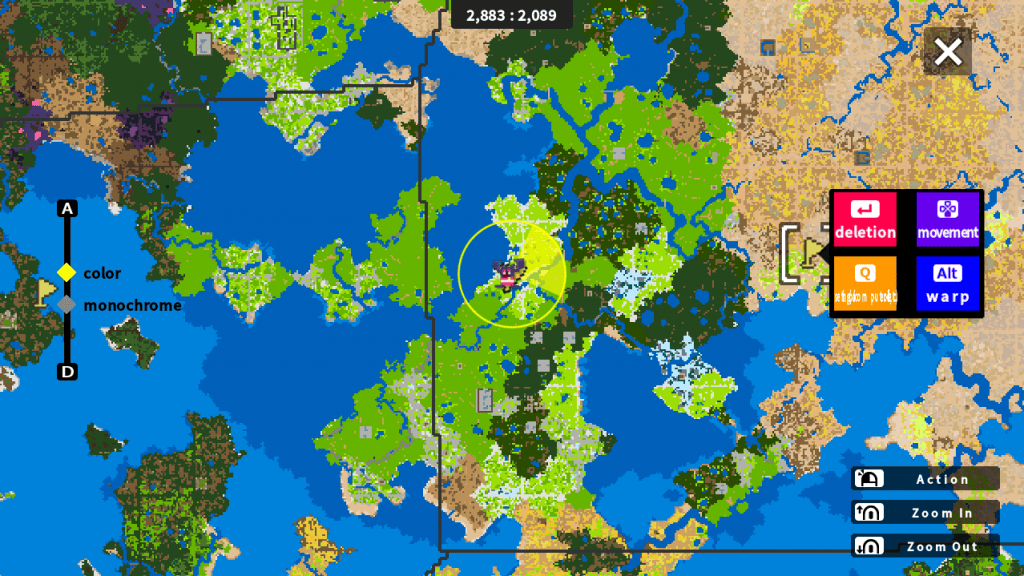
5. Select the monsters placed within the area from the monster spawner list.
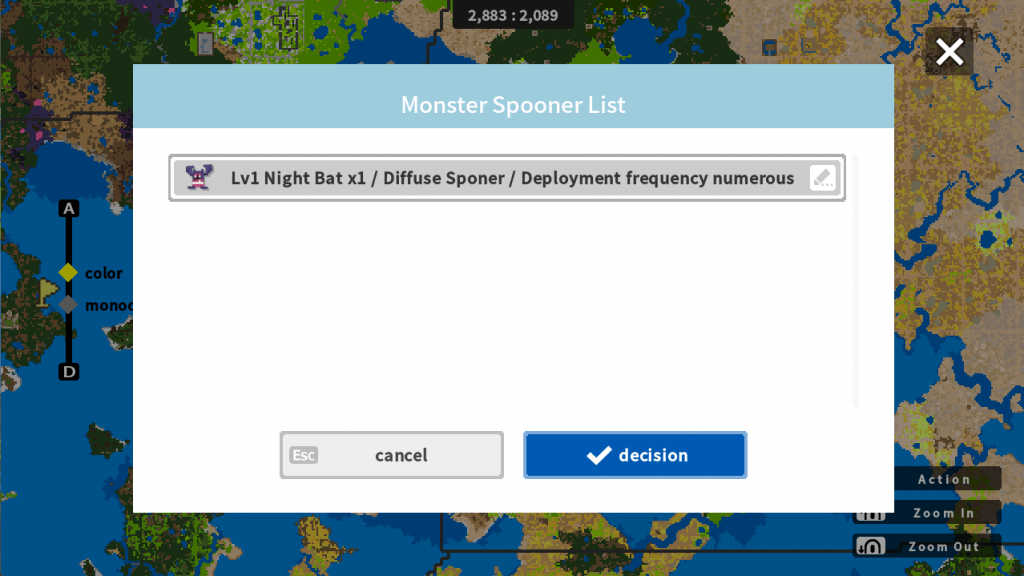
6. Set to disperse the spawner.
By setting it to “Disperse”, monster spawners will be automatically placed within the area.
By selecting “Set” you can prevent dispersion; monsters will spawn only from the placed monster spawner.
7. Set the Spawn Rate
In “Spawn Rate,” you can set how often spawners are placed within the designated area. When placing multiple spawners, those with higher spawn rates are more likely to be placed.
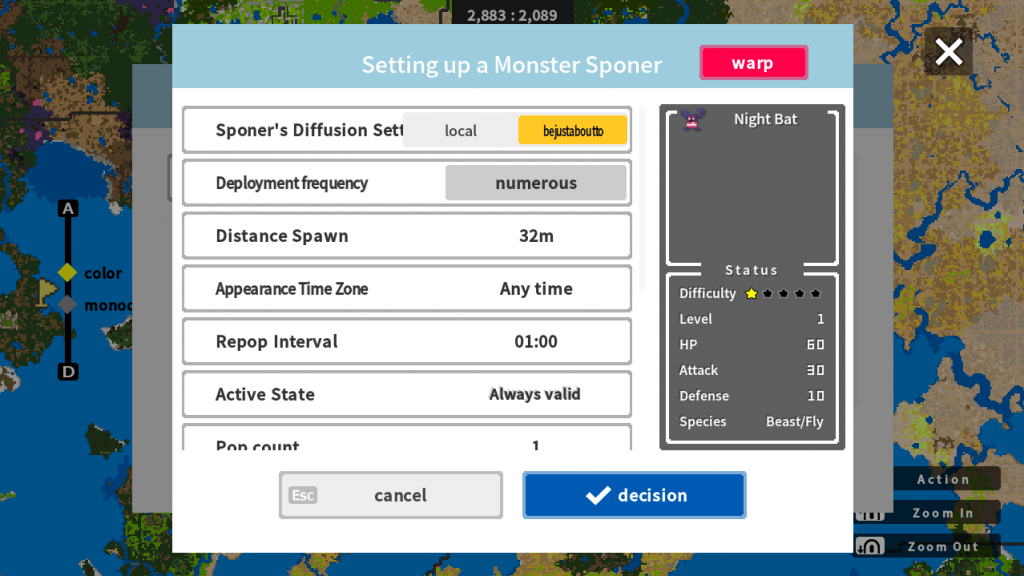
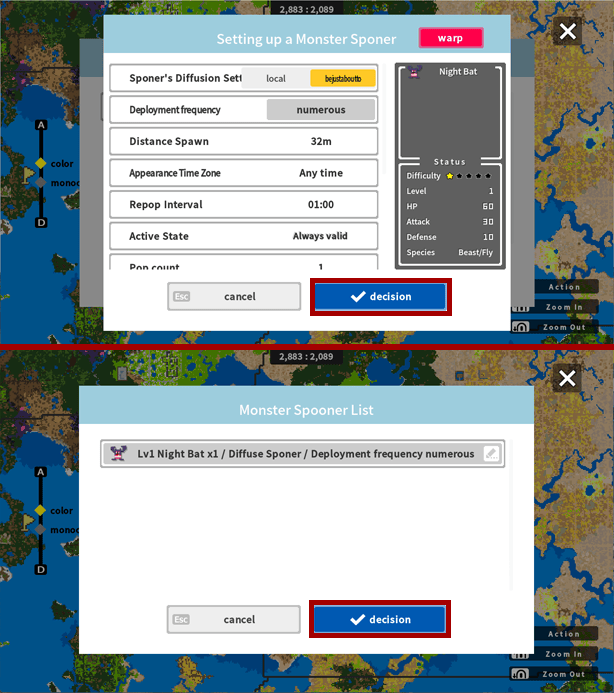
8. Select the “Confirm” button on both the settings screen and the monster spawner list to complete the configuration.
How to use the Spawner Dispersion Tool more effectively
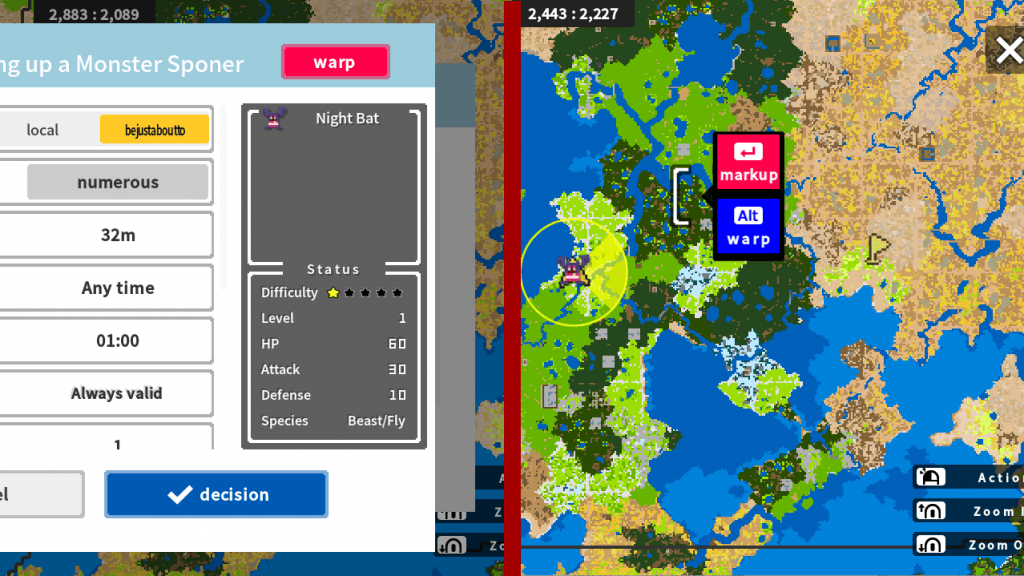
Teleport to the source monster spawner.
You can teleport to the source monster spawner using the following methods.
– Select any monster from the monster spawner list and choose teleport from the settings screen.
– Select “Teleport” from the monster icon on the Spawner Distribution Tool.
Convert the map to monochrome.
The locations of the areas specified with “Mark” and the monster spawner placements can become easier to see by changing the display color of the spawner dispersion tool to “Monochrome.”
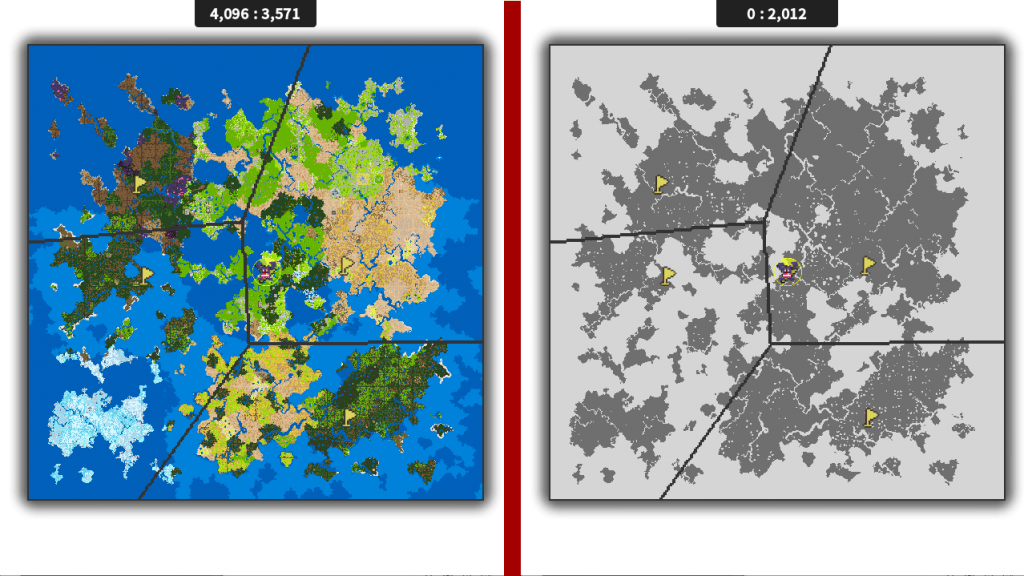
Reposition Marks that have already been placed.
Select the placed Mark and choose “Move” to reposition it.
The area will be redivided to match where the mark was repositioned to.
The shape of the divided area also changes when a mark is deleted.
Important notes about Spawner Dispersion Tool
Players who can use the spawner dispersion function.
There is a difference in the availability of the spawner dispersion feature between the host and the participants.
◆Host
– All features are available.
◆Participants
– Viewing the map of the sponsor dispersion function.
– Teleport to any location on the map.
– View the settings of the monster spawner list.
Monster Settings
Settings such as respawn intervals can be configured from the monster spawner you initially placed for dispersion.
You can distinguish between the dispersed spawners and the source spawner by their respective effects.
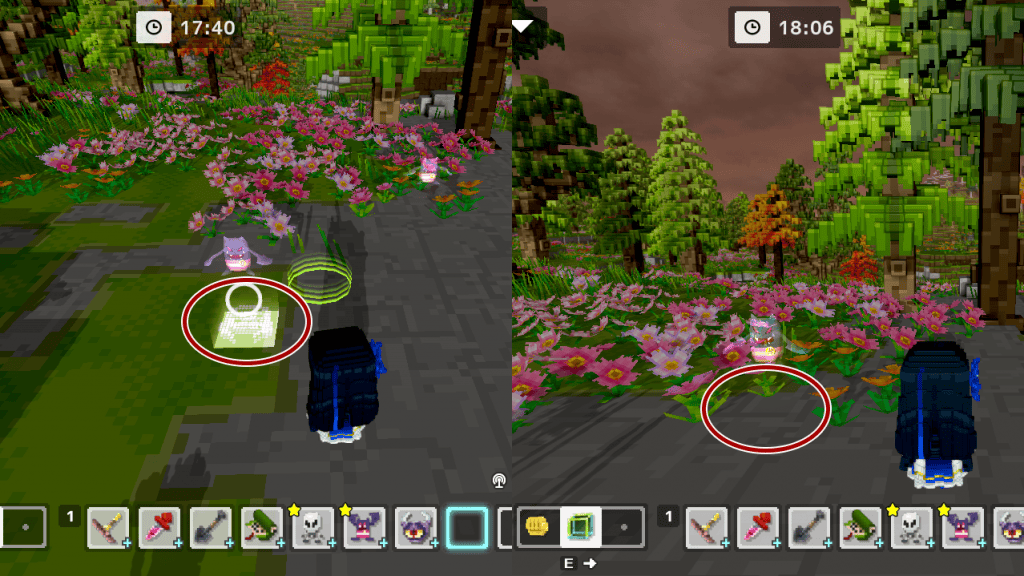
About main monster spawners.
Monsters will not spawn from the source monster spawner.